There is a persistent myth in the audio world that professional mixing and mastering can only be done on studio monitors in an acoustically treated room. It is a myth that has been gatekeeping aspiring engineers for decades, and it is time to put it to rest.
This guide draws on the real-world expertise of Emrah Celik, a multi award-winning mix and mastering engineer with over three billion streams — roughly 95% of which were mixed on headphones — and Paul Third, audio engineer, researcher, and co-host of MixPhones. Together, they have tested dozens of headphones, amps, DACs, and software tools to build a workflow that translates professionally, every time.
Why You Should Be Mixing on Headphones
The numbers speak for themselves: roughly 87% of music listeners consume audio through headphones. If the overwhelming majority of your audience will hear your work on headphones, it makes sense to mix where they listen.
But the case for headphone mixing goes far beyond audience habits. There are three core advantages that make headphones a serious professional tool.
Freedom
No room required. Mix from a hotel room, a bedroom, or anywhere in the world. Emrah built his entire career mixing from a small apartment where speakers were simply not an option.
Cost
A professional headphone setup costs a fraction of studio monitors plus acoustic treatment. And unlike speakers, headphones have no room to ruin their performance.
Consistency
There is no sweet spot to worry about, no room modes, no early reflections. The sweet spot is always right at your ears, no matter where you are.
"If you genuinely believe that a good investment is buying speakers to mix on in an untreated room, that's a terrible idea. Speakers are only as good as the room. Headphones eliminate that variable entirely."
— Paul Third
"Instead of giving up, I changed my mind. Now if I wear headphones, I can be free. My clients know I mix 95% — sometimes 100% — on headphones. There is no problem. It's all about the end result."
— Emrah Celik
To be clear, both Emrah and Paul are hybrid engineers — they do own studio monitors. But the split is not 50/50. It is closer to 95% headphones, 5% speakers. The speakers serve as a translation check, not as the primary mixing tool. That distinction matters.
What to Look for in a Mixing Headphone
Not every headphone is suited for professional mixing. Here is a breakdown of every factor that matters, in order of priority.
Budget
Budget comes first because it dictates everything else. The good news: you do not need to spend a fortune. Emrah has demonstrated professional results on headphones as affordable as the HiFiMAN HE400 SE (around $99) and the Final Audio FT1 (around $15). As he puts it: "In every budget, there is a solution. There is a pair of headphones that checks most of the boxes."
That said, more budget generally means better driver quality, better build, better comfort, and fewer compromises. The important thing is to spend wisely — an expensive headphone with poor tonality is a worse investment than a cheaper one that translates well.
Comfort
When you are mixing for eight to ten hours a day, as Emrah does, comfort is not optional — it is essential. There are several things to consider:
- Weight: The ideal range is roughly 200-500g. Anything heavier and you will start feeling neck strain. The Audeze LCDX Closed is one of the best-sounding closed-backs on the market, but it is also one of the heaviest — and that limits session length significantly.
- Clamp force: Too tight causes pressure headaches. Too loose and the headphones slide around. It varies by head size, so try before you buy when possible.
- Headband design: A bad headband creates a "hot spot" — concentrated pressure on the top of the skull that can trigger migraines within 30 minutes. Budget HiFiMAN headbands are notorious for this. Higher-end models tend to distribute weight more evenly.
- Pad thickness and heat: Thick pads can trap heat and cause sweating during long sessions. Not a dealbreaker, but worth considering if you work in warm environments.
Headphones like the Sony MDR-MV1 are often praised because, as Paul notes, "you forget that you've even got them on your head." That kind of comfort means longer, more focused sessions.
Tonality
Tonality is arguably the most critical sonic attribute. A headphone with the wrong tonal balance will lead you to make incorrect mix decisions consistently.
The MixPhones team recommends starting with the Harman Target as your baseline. Contrary to what some in the audiophile community claim, Harman is not a "preference curve" — it is a target specifically engineered to recreate the tonal response of studio monitors in a well-treated room. As Paul puts it bluntly: "It's not a preference target. It's a mixing target."
Emrah reinforces this point: "Look at the Sennheiser HE-1 — one of the most expensive headphones ever made. It's perfectly tuned to Harman. There's no discussion about it."
The approach is straightforward: start with Harman, trust your ears, and make small adjustments. If the low end feels slightly dark, raise the shelf a touch. If the top end is bright, pull it back. Wide, broad moves — never surgical corrections to a target curve.
Driver Type: Planar Magnetic vs. Dynamic
This is where things get decisive. The MixPhones recommendation is clear: go planar magnetic whenever your budget allows.
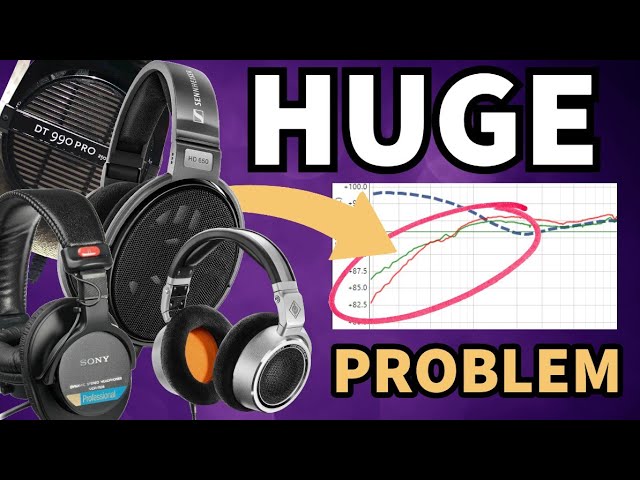
The reason comes down to physics. Dynamic drivers — especially in open-back designs — physically cannot reproduce sub-bass frequencies in the way that planar magnetic drivers can. A 50mm dynamic driver has inherent limitations. Many dynamic headphones from brands like Sennheiser exhibit low-end rolloffs that cannot be corrected with EQ, because the frequencies simply are not being produced by the driver in the first place.
Planar magnetic drivers, by contrast, can extend flat and linear down to 5 Hz and below. They produce real sub-bass, not the acoustically enhanced pseudo-bass that some closed-back dynamics achieve through port design.
"You can't recreate what's not there. If the headphone rolls off at 40 Hz and you try to EQ below that, all you're doing is adding unnecessary distortion."
— Paul Third
The Beyerdynamic Tesla drivers, in particular, receive criticism from both hosts for their excessively sharp high-end. These drivers were designed as "helper tools" to hear detail, but that elevated treble makes them fatiguing and misleading for long mixing sessions.
That said, not all dynamic drivers are bad. The Audio-Technica ATH-R70x and the Final Audio A5000 are dynamic headphones that both hosts respect. Emrah uses the A5000 as a daily driver. But as a general rule, planars offer better low-end extension, lower distortion, and more accurate sub-bass reproduction — all critical for professional mixing.
Open-Back vs. Closed-Back
Open-back headphones are generally preferred for mixing because they offer a wider, more natural soundstage and better imaging. The sound is less "in your head" and more closely approximates the speaker experience.
Closed-back headphones have their place — particularly for tracking, portable mixing, or noisy environments — but they tend to have a more intimate, confined presentation. Some closed-backs like the Audeze LCDX Closed sound exceptional, but they come with trade-offs in weight and long-session comfort.
For your primary mixing headphone, open-back is the stronger choice. Keep a closed-back on hand for specific use cases.
Impedance & Drivability
Impedance is often misunderstood. A 600-ohm Beyerdynamic will require significantly more power than a 32-ohm dynamic, but impedance alone does not tell the full story — sensitivity matters equally.
Planar magnetic headphones are a different world. They can have low impedance (say, 16 or 32 ohms) but still be difficult to drive because of their low sensitivity. Headphones like the HiFiMAN Susvara, Audeze LCD series, and the Dan Clark Stealth all need serious amplification to perform at their best.
The key takeaway: do not assume your audio interface can drive your headphones properly. Most cannot. More on this in the optimization section below.
Imaging vs. Soundstage
These are related but distinct qualities, and both matter for mixing.
Soundstage refers to the perceived width and depth of the sonic picture. Some headphones present music as if it is playing inside your head; others project it outward, simulating a room. The HiFiMAN egg-shaped cups (Nano, HE1000SE, Arya Organic) are praised by both hosts for delivering an exceptionally speaker-like soundstage.
Imaging refers to how precisely individual elements are placed within that soundstage. Good imaging means you can pinpoint exactly where a vocal, guitar, or percussion hit sits in the stereo field.
For mixing, you want both — but imaging is arguably more important. You need to hear precise placement to make accurate panning and spatial decisions. A headphone with a huge soundstage but vague imaging will lead to mixes that sound impressive on headphones but do not translate well to speakers.
Slam, Sub-Bass & Depth
Three qualities that separate a good mixing headphone from a great one:
Sub-bass extension requires a driver that is linear in the low end with very low harmonic distortion. You need the headphone to actually produce sub frequencies — not approximate them. This is where planars excel.
Depth is the sense of front-to-back dimension. Some headphones present everything on a flat plane; better headphones give you layers, allowing you to perceive distance between elements in a mix.
Slam is the visceral, physical impact of transients. When a kick drum or snare hits and you feel it, that is slam. It is not compression or distortion — it is the dynamic punch that lets you judge the energy of a mix instantly.
"With the Nanos at 85 dBA, within 20 seconds I know whether the low end is right or not. If I've been struggling with the bass on another headphone, I stick the Nanos on — 20 seconds — and I know exactly what needs to change."
— Paul Third
Slam helps you avoid one of the most common headphone mixing pitfalls: over-inflating the sub-bass. When your headphones slam properly, you can feel when the low end is balanced. Without slam, everything sounds similar in the low end and you are more likely to overcompensate.
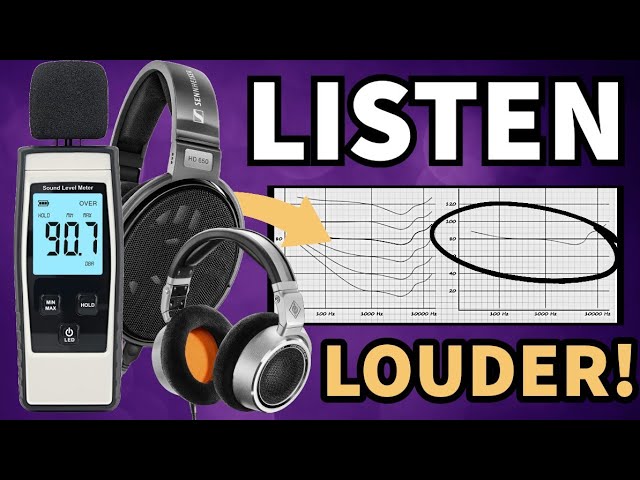
To hear slam, you need to drive your headphones to proper monitoring levels (around 83-85 dBA). At low volumes, even headphones with excellent slam will sound soft and unimpressive.
How to Optimize Your Headphone Setup
Even a great headphone will underperform without the right supporting setup. Here are the five pillars of headphone optimization, as outlined by Emrah and Paul.
1. Headphone EQ
Almost no headphone is tonally perfect out of the box — especially not for mixing purposes. Consumer headphones are tuned to make music sound enjoyable. Studio headphones from brands like Beyerdynamic are tuned with boosted high-end to help you "hear details." Neither approach gives you the neutral, speaker-like response you need for making mix decisions.
The starting point: use AutoEQ to find a correction profile for your specific headphone model, targeting the Harman curve. This will bring your headphones closer to the tonal response of studio monitors in a treated room — restoring sub-bass presence and taming harsh high frequencies.
Emrah is also working on an "Engineer Target" — a custom curve specifically designed for mixing and mastering engineers, distinct from both the Harman consumer target and Hi-Fi tuning approaches. The philosophy: "We are not using headphones to enjoy music. We are using them to make people enjoy what we do."
2. A Dedicated Headphone Amplifier
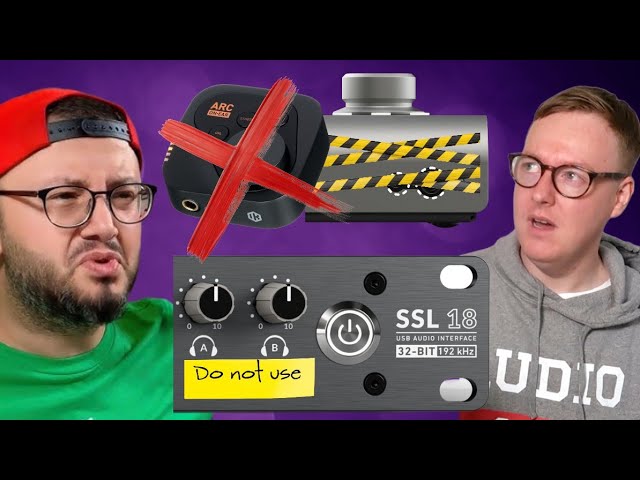
This is non-negotiable. The headphone outputs on most audio interfaces — Focusrite, Audient, Universal Audio, it does not matter — are insufficient for professional mixing. They are included as an afterthought, designed only to "hear sound," not to drive headphones with adequate power, headroom, and low distortion.
"Most audio interface headphone amps are very low quality. When you crank them to get to a certain level, you are very limited in headroom. Weak headphone outputs tend to make things sound thinner and compressed."
— Emrah Celik
A dedicated headphone amp gives you the current and voltage your headphones actually need, maintaining dynamics, low-end weight, and clarity at proper monitoring levels. You do not need to spend a fortune — the Topping L30 (an unbalanced amp) has been a long-standing recommendation from Paul for its remarkable power output relative to its price.
When evaluating amps, pay attention to output impedance (for proper impedance matching with your headphones) and distortion figures. These technical details make a real difference in the accuracy of what you hear.
3. Cross-Feed
Cross-feed addresses one of the fundamental differences between headphone and speaker listening: the stereo image. With speakers, your left ear hears the right speaker (and vice versa), the bass is perceived as relatively mono, and the room provides natural blending. With headphones, separation is absolute and often exaggerated.
Cross-feed plugins work by:
- Mono-ing the low end (because bass in a room is perceived as mono, not stereo-wide)
- Reducing side information in the high end
- Bleeding a small amount of the left channel into the right (and vice versa), simulating how we hear speakers with both ears
For roughly 90% of headphones, cross-feed is essential for mixes that translate to speakers. The notable exception: HiFiMAN's egg-shaped cup designs (Nano, HE1000SE, Arya Organic), which naturally produce a remarkably speaker-like image without cross-feed.
Without cross-feed, you risk a bass image that is too wide, excessive stereo separation, and reverb/delay decisions that sound washed out on speakers. Paul found this firsthand: "Everything's closer to your ear on headphones. You add more ambience than you think, and then on speakers it's like being in Wembley Stadium."
4. Reference Listening
References are not about A/B-ing your mix against a mastered track and trying to match it. That approach is comparing apples to oranges. Instead, references serve as a calibration tool for your ears.
"I don't compare my mixes to references. I start the day with references before I start mixing. I sit down, take a cup of coffee, and listen to reference music on the headphones I'm going to mix on for 30 to 45 minutes. It's warming up. It's training. If you listen, it's going to sit in your ears. You won't have to think about whether the kick sounds right or the snare sounds right — you'll just know."
— Emrah Celik
This approach recalibrates your ears to the specific soundstage and tonal characteristics of whatever headphone you are working on that day. It counteracts the natural "tilt" that every engineer develops — the tendency to mix too bright, too dark, too wide, or too narrow based on accumulated habits.
Paul experienced this firsthand when transitioning from the Beyerdynamic DT770 to HiFiMAN headphones: "I had a very specific tilt where everything was super bright with no low end. When I switched headphones, I overcompensated the opposite way. If I'd had reference listening as part of my routine, I would have caught that immediately."
The analogy Emrah uses is perfect: even Messi cannot perform without training. Your ears are the same. Reference listening is ear training, and it is what separates professional results from amateur ones.
5. Software & Visual Tools
A handful of plugins can serve as sanity checks alongside your ears:
- iZotope Tonal Balance Control — Set to the Pop target, it provides a visual reference for your mix's frequency balance. Not gospel, but useful for catching obvious tilts.
- TDR Prism (free) — A spectrum analyzer that Emrah uses with slow settings to evaluate the overall frequency image without getting distracted by fast-moving peaks.
- TB Pro Audio ISOL8 (free) — A crossover tool that lets you isolate and solo frequency bands. Invaluable for checking whether your low end has musical movement on its own, separate from the mids and highs.
- Gut Particle — The built-in meters glow green when your levels are in the right direction. Particularly useful for low-end and midrange calibration.
For translation checking, room simulation plugins are powerful tools:
- dSONIQ Realphones — Paul's choice for checking how mixes translate to various real-world environments: an untreated bedroom, a club, a car. The third-party speaker simulations are particularly useful.
- Slate VSX — An all-in-one system where the headphone and software are calibrated together. Emrah uses this system and considers it approaching industry-standard status for headphone mixing.
Both tools address the reverb and ambience problem that plagues headphone mixing. What sounds like the right amount of reverb on headphones can sound completely washed out on speakers. Room simulation plugins add synthetic room ambience to your monitoring, helping you make more accurate spatial decisions.
The Recommended Headphone Mixing Workflow
Putting it all together, here is the workflow that Emrah and Paul have refined through hundreds of professional mixes.
Set Up Your Signal Chain
DAW output into a dedicated headphone amp (not your audio interface headphone out). Apply your headphone EQ correction (Harman Target via AutoEQ as a starting point). Enable cross-feed if your headphones need it — most do.
Warm Up with References
Before touching a fader, spend 30-45 minutes listening to professionally mixed and mastered music on the same headphones you will be working on. Let your ears calibrate to the headphone's characteristics.
Mix at Proper Levels
Monitor at approximately 83-85 dBA. This is loud enough to hear slam and feel dynamics, but safe enough for extended sessions. Use an SPL meter or calibration tool to verify.
Take Breaks & Re-Calibrate
Step away every 40-60 minutes. When you return, listen to a few references before diving back in. This counters ear fatigue and prevents your mix decisions from drifting.
Use Visual & Translation Checks
Keep Tonal Balance Control or a spectrum analyzer visible for sanity checks. Use room simulation plugins (Realphones, Slate VSX) to verify your spatial decisions translate to speakers and real-world environments.
Consider Multiple Headphones
Both hosts advocate owning more than one pair. Use one as your primary mixing headphone and another for specific checks — micro-detail, low-end, translation. No single headphone checks every box.
The Goal: Counter-Translation
Every recommendation in this guide serves one purpose: counter-translation. This is the term Paul and Emrah use to describe the process of ensuring your headphone mix translates accurately to every playback system — speakers, earbuds, car stereos, club sound systems, laptop speakers.
When you choose the right headphone, EQ it properly, drive it with a good amp, apply cross-feed, train your ears with references, and verify with visual tools and room simulations, you are building a system of overlapping checks that minimizes the gap between what you hear and what everyone else hears.
"All of this is about you finding what gets you the right counter-translation. There are certain headphones that are going to give you better counter-translation than others. Identify what you are struggling with — is it the imaging, the dynamics, the low end? — and then adapt what we've taught you to find your best headphones."
— Paul Third
There is no single headphone that checks every box. There is no shortcut. But with the right knowledge, the right tools, and consistent ear training, you can mix professionally on headphones — as Emrah has done for billions of streams, and as a growing community of engineers are proving every day.
The myth that you need an expensive room and expensive monitors to make professional music is exactly that: a myth. The golden age of headphone mixing is here.
Continue Learning
Dive deeper into specific topics covered in this guide.